From passive video play 

 to solve problems 

 independently on the floor 

Image2-May-29-2026-10-02-17-5419-PM
  • Image10-4
  • Screenshot 2025-09-15 175406
  • Image1-Sep-05-2024-08-36-15-4858-AM
  • Image8-3
  • tekken
  • Image3-4
  • Image4-2
  • Image9-3
  • Screenshot 2025-04-01 141604
  • Screenshot 2025-04-01 141717
  • Image11-2
  • Image10-4
  • Image2-Sep-05-2024-08-36-15-5592-AM
  • Screenshot 2025-09-15 175406
  • Image1-Sep-05-2024-08-36-15-4858-AM
  • Image8-3
  • tekken
  • Image3-4
  • Image4-2
  • Image2-Sep-05-2024-08-36-15-5592-AM
  • Image9-3
  • Screenshot 2025-04-01 141604
  • Screenshot 2025-04-01 141717
  • Image11-2
  • Image10-4
  • Screenshot 2025-09-15 175406
  • Image1-Sep-05-2024-08-36-15-4858-AM
  • Image8-3
  • tekken
  • Image3-4
  • Image4-2
  • Image2-Sep-05-2024-08-36-15-5592-AM
  • Image9-3
  • Screenshot 2025-04-01 141604
  • Screenshot 2025-04-01 141717
  • Image11-2
  • Screenshot 2025-09-15 175406
  • Image10-4
  • Image1-Sep-05-2024-08-36-15-4858-AM

Web-based setup! Start in 5 minutes

Perfect for pitching to management


We created video manuals.
But employees just play them.
They still end up asking their seniors.

The problem is simple.
Video manuals are "pre-training format"
shown during onboarding and then forgotten.

  • Hard to find the specific task they need in the video
  • Tips and cautions aren't explained well enough
  • No guidance when situations differ

Workers can't find answers on the floor and resort to asking.
In fact, at manufacturing facilities that adopted video manuals,87% say "even after watching, I still ask my senior" (manufacturing industry survey).

Despite all the effort invested, video manuals become a "create and forget" asset.

That's the limit of traditional video manuals.

Video + Description + Questions. On-the-floor SOP support.

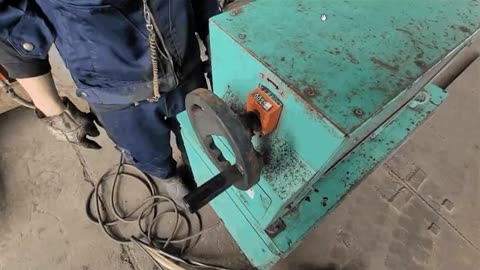
From passive video play
to solve problems independently
with video SOPs

Video SOPs break down into Steps—each with video + Description + Questions.
What video alone can't convey—decision criteria and Tips—is explained in the Description, and understanding is Confirmed with Questions. Each Step has everything needed, so workers can solve problems independently right there.

See a Completed example below.

View in full screen ↗

Test with your existing videos

Compare with other solutions.

Frontline support at the core.
Driven by worker feedback.
7 Essential Features

Open whenever the floor team needs guidance, and find answers independently——that's Dive's frontline support.
Better yet, just capture to create. AI automatically turns even tacit knowledge into documentation.


Seven features power this system. Improvement runs autonomously, starting from worker needs. Knowledge compounds with every use, becoming the foundation for Development and skill transfer.


View complete feature Details (Spec and Plan availability)

Video + Text + Question.
SOPs that leave no doubt.

Find answers on the spot, when you're unsure.

Video for each Step, reinforced with decision criteria, Tips, and Cautions in Text, and verified with Questions. Supports conditional Branches too. Where video alone leaves judgment unclear, Text and Questions provide clarity—eliminating the worry "Is my work right?" right there on the floor.
Complete comparison of 6 video manual creation tools

Direct access to the Steps
and Subtitles you want

Search one Keyword to reach any part of a video instantly.

Videos normally require playing from the start to find what you need. Dive goes further—search across Step titles, Subtitles, and Text in video at once, jumping to exactly what you need in seconds. Plus, use AI Search to ask "what do I want to do?" or "what's my problem?". Deliver answers to the floor in the shortest time.

Diverse teams
move by the same SOP

Break language barriers with translation in 192 languages

Viewers simply select their language, and text, captions, and voice-over automatically translate. From trainees and skilled workers to factories at overseas locations, everyone can work confidently in their native language. Original text mode is available for OJT peace of mind. Also supports external file export to Excel and MP4.

Beyond SOP content, Dive's interface itself supports 29 languages. Menus and buttons display in your native language, so even first-time users navigate without confusion.


SOPs that keep running
even with weak networks

Works offline in browsers — viewable on PC and Windows tablets

Preload, automatic cache, and optimized video quality mean no interruptions underground, outdoors, or at overseas sites. Built specifically strong for Windows-dominant facilities, only Dive delivers uninterrupted viewing—see what you need, whenever you need it.

Instant access via QR.
Print layouts for every need

Generate QR codes for SOPs, Folders, Favorites, and more

Affix to machines, display on safety boards, include in printed manuals — endless layout options. Print multiple SOPs per Folder at once, and hold your phone up on the floor for instant access to the right SOP, rolling out a seamless workflow across your entire facility.

AR for real-world understanding.
Confusion clears in front of your eyes

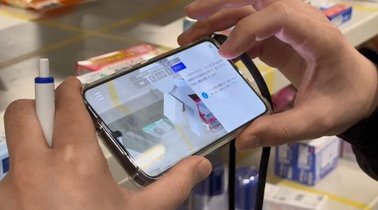
Video + text leaves nothing to guess. Plus AR at critical points for intuitive understanding.

Where video and text leave questions like "Where?" and "Which direction?" — AR fills the gap. Overlay information directly onto the machine or equipment in front of you to point out "here" and "this." When video and text alone aren't enough, AR puts the answer right on the equipment. Works on smartphone or AR glasses hands-free.
What's the value of AR in SOPs?

From floor requests
grow SOPs people actually use

Only SOPs with real demand before creation grow

Anyone on the floor can post "I need an SOP like this," and others vote it up. Work on the highest-voted, genuinely needed items first. You asked for it, so you'll use it. Everyone needs it, so it actually gets used. No more wasted effort on SOPs nobody reads.

Patent-backed innovation × cutting-edge AI

To create an SOP someone can follow alone, video + text + Q&A "structure" is essential.


Traditionally, this means filming, cutting, organizing — grueling work that steals veterans' time.
Dive's patent-backed innovation and cutting-edge AI shoulder all that burden.


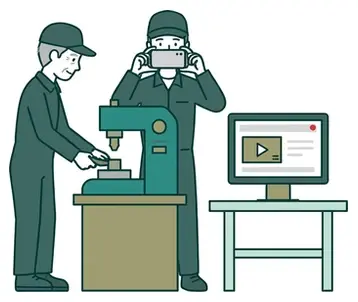
Just hit record. AI converts the unspoken "tacit knowledge" — what moves mean — into written text. Know-how naturally builds as company assets.


Cutting-edge generative AI
that understands motion in video

AI reads objects and human movement, converting previously unspoken tacit knowledge into text

Industry-leading generative AI interprets objects (parts, tools, machines) and human motion (steps, technique, operation) from video to articulate what's happening. Even without audio, it splits and summarizes actions. The samples above came from this video and this video, auto-edited. Your data is never used for retraining.

Shoot normal work
and just upload

No need to film each step separately

Combined with the AI above and patent-backed innovation (Patent No. 7716145), simply film and upload a continuous work session. AI auto-splits by step and organizes text. No pauses to frame shots, no explanations needed. Veteran time is preserved, and usable SOPs emerge straight from the floor.
Compare tools that auto-create manuals from video with AI


Watch video while
filling in fields

4-field format systematically structures tacit knowledge

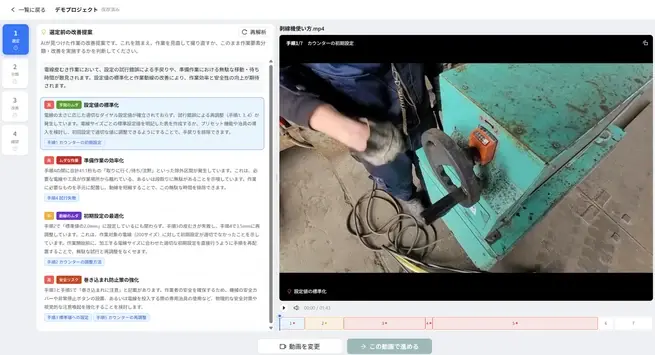
AI generates starter values for "What to do," "Tips," "Quality Warning," and "Important safety information" based on the video. Play video in the editor and add notes — veteran know-how becomes structured text in standard format.

Refine only what
you care about

AI handles the bulk of video editing

AI does most of the work video editing requires:

  • Auto-generate Q&A
  • Auto-generate captions (works even without audio)
  • Auto-cut redundant scenes
  • Auto-insert annotations

Clarity comes through even without voice. Editors just refine the points they care about.

Floor-finishing
AI-generated text

Translation glossary, voice correction, Notation Unification Dictionary — compensate for AI limits

AI translation, captions, and text aren't perfect with industry terms and internal rules. Built-in tools let you perfect them:

  • Translation glossary — align internal terminology
  • Voice correction — adjust pronunciation for proper nouns and industrial units
  • Notation Unification Dictionary — share replacement rules like "motor→Motor" and auto-apply them

Batch-fix on the spot; dictionary entries auto-apply next time. SOPs ready for live use, meeting your standards.

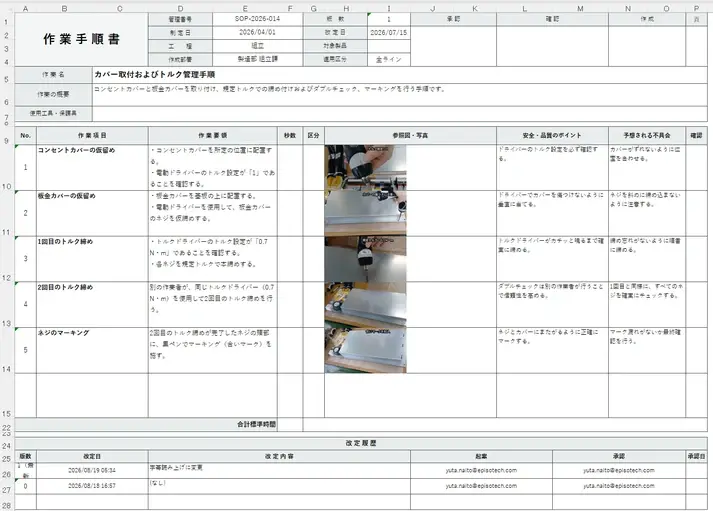
Leverage your existing SOP assets
and make them an entry point to video

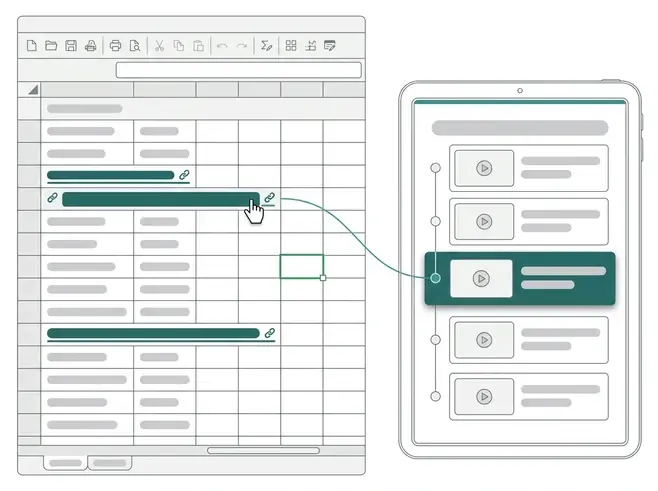
Specify existing SOPs to analyze; AI inherits headings and order for step division

Build video SOPs from your document's structure. Or automatically insert links to matching video steps back into the original file, so existing SOP-driven operations seamlessly link to video.

  • Structure stays the same — step count and order inherited
  • Auto-insert step links into original — find matching sections and insert. No manual URL hunting
  • Format unchanged — only links added. Formulas and checkboxes stay intact
  • Supported formats — PDF, Word, Excel, PowerPoint

Advanced AR creation
completed on a smartphone

VPS means no printed markers needed

VPS (Visual Positioning System) technology turns your facility's scenery and equipment into AR markers directly. No CG engineers, no special gear — build AR content on your smartphone. Add intuitive understanding at critical points, simply.


Free AI analysis included

One comprehensive guide covering feature details

Training and Development too, of course

With frontline support as its core, Dive supports people's growth through two pillars: Training and Development.


Distribute the SOPs your team needs to see and visualize each person's capabilities—your workplace transforms into a learning organization.


【Training】
Bundle and distribute
the SOPs your team needs to see

Ensure "must-see" content reaches everyone reliably

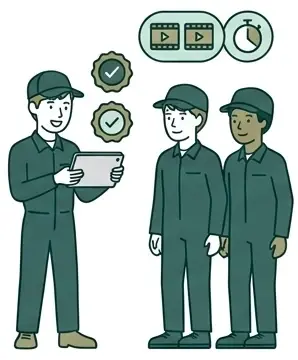
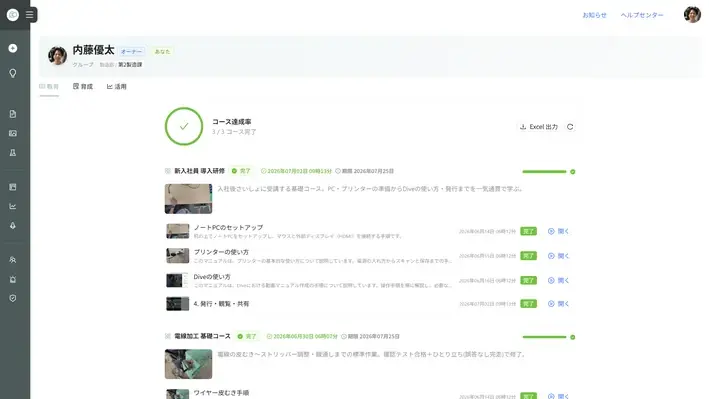
Combine SOPs into a Course and distribute to target people. Viewing order, Assessment test, and Solo completion confirmation prevent "view and done" mentality, ensuring actual viewing and completion of content. Those who haven't started or completed receive reminder notifications, providing that final push to see it through.

【Development】
Evaluate and record
each person's capabilities

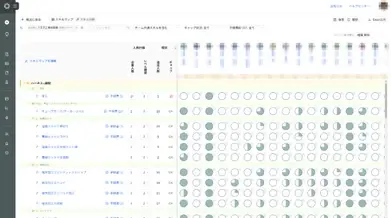
See at a glance who can do what and to what level

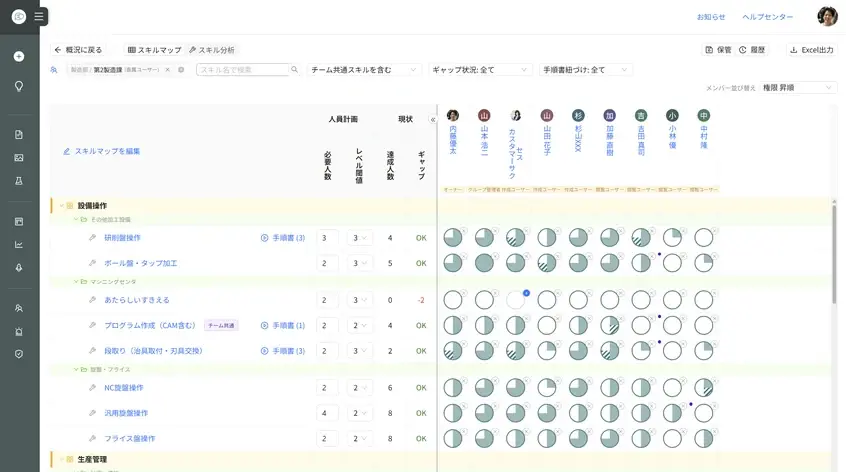
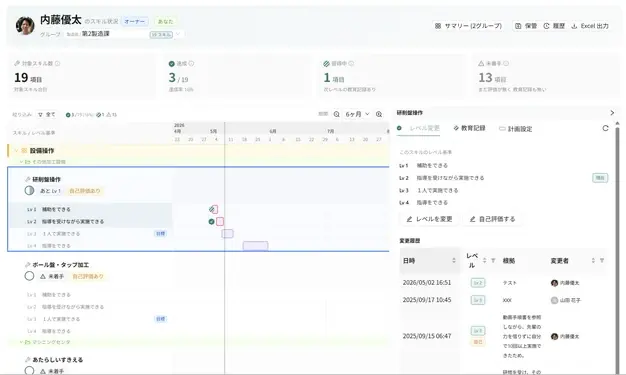
A Skill Map aligned with ISO9001 "7.2 Competence" visualizes capabilities. From skill shortages, create a Development plan and assign a Development lead. Team members navigate directly to the SOPs they need to learn now, and long-term growth progress stays reliably documented.


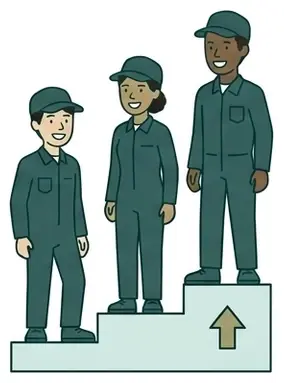
Our "Frontline-First" approach
proven by external recognition

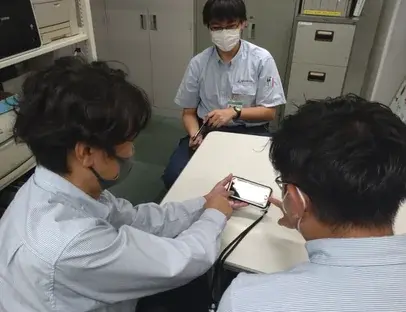
Our system was built through co-creation and open innovation, with developers embedded in the real workplace.
The effectiveness of our frontline-first model has earned multiple awards and adoptions.
We also maintain certification for the international information security standard ISO/IEC 27001:2022.


Recognized for solving social challenges through cutting-edge technologies including VR, AR, and AI

Winner of the Tokyo Contents/Solution Business Award 2023

Winner of the "Venture Grand Prix" at the ASPIC Cloud Award 2024, hosted by the Japan Cloud Industry Association

Selected for the Tokyo Metropolitan 5G Technology Utilization Development Promotion Project, which supports services solving social challenges through 5G-related technologies

Operational features that power DX

Comprehensive operational features ensure sustained organizational adoption.
ISO-aligned SOP management gives you confidence in implementation.


Combine video, image, and PDF by step
Choose the optimal content format for each step—image for step 1, video for step 2, PDF for step 3—freely. Fill gaps where video alone falls short with images or PDF, and embed existing videos seamlessly.
PC screen recording support
Record business system operations directly into SOPs. Perfect for admin onboarding too.
Auto-generate SOPs from PDF
Import existing PDF manuals and let AI draft your SOP automatically. Rescue legacy assets gathering dust on paper or in PDF form—migrate them to Dive.
AI text-to-speech
AI text-to-speech
AI text-to-speech
AI reads your text aloud. Supports hands-free confirmation and auditory-dominant workers.
Set Playback Speed per step
Skip wordy scenes with fast-forward, slow down key moments—set Playback Speed per step. Keep the workflow intact while making it easier to follow.
Auto-populate safety and cautions from standards
Link existing work standards or Excel files, and AI extracts safety and cautions to auto-apply across steps. Surface warnings right where they're needed.
Draft Sharing and Comment
Share in-progress SOPs with stakeholders and collect feedback via Comment. Multi-person authoring and review flows smoothly.
Voice command
Voice command
Voice command
Control hands-free with "Next," "Play," "Stop," and more. Keep both hands on the job—even with smart glasses on.
Hands-free demo
View hands-free on smart glasses
Read SOPs while working with both hands. Works with 8+ AR and smart glass models: RealWear, Vuzix M400, MiRZA, and more. See your next instruction without putting tools down.
View history and My Page
Check your SOP history and Usage status on My Page. Jump back to recent tasks instantly, and managers gain visibility into individual usage patterns.
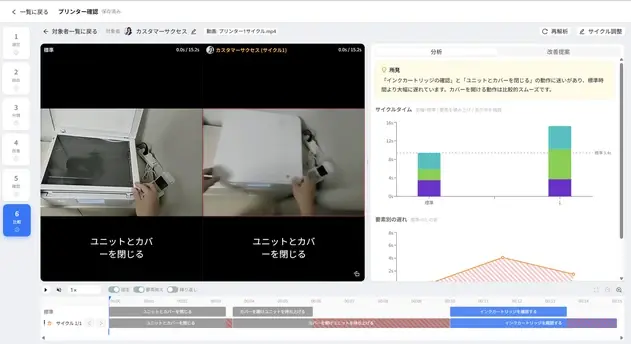
Work Analysis (IE Time Analysis)
Break video into work elements and auto-calculate standard times and ratings. Spot waste, propose ECRS improvements, and compare before/after numerically. Your video SOP becomes your IE analysis foundation.
Compare to model
Compare to model
Compare to model
Play your performance side-by-side with the expert model video in sync. Spot movement and timing gaps at a glance and pinpoint where differences emerge. Reinforce standard work and self-directed learning.
Visualize competency with Skill Map
Link Skills to SOPs and display individual competency as Level 1–4. See at a glance who knows what and how far—design training end-to-end. ISO 9001 "7.2 Competence" ready.
Training management: Schedule × assign trainers
Set training duration per level and schedule who trains whom on what by when. Trainers see their trainees, content, and deadlines in one view—OJT stays on track.
Usage Report
Usage Report
Usage Report
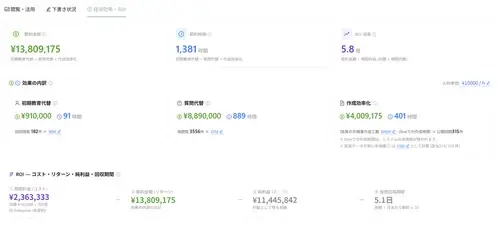
See who's viewing which SOPs and how often. Export ROI calculations too—perfect for business cases.
MP4 export as-is
MP4 export as-is
MP4 export as-is
Export your cloud SOP as MP4. Save locally, sync with your LMS, or back up after cancellation.
Export to PDF, Excel, and PowerPoint
Create paper SOPs for video-free environments. Export translated PDFs for smooth global sharing.
Time-limited QR public share
Perfect for limited sharing with vendors and partners. Issue a time-limited QR Code that auto-locks after expiry. Share safely with minimal leak risk.
Remote support via video call
Connect field staff and experts in real time. Use AR arrows to point spatially—solve complex issues fast.
Two-factor auth and SSO
Add one-time code verification to ID and Password. SSO integration connects securely to your existing auth system.
Download restriction
Restrict video and file downloads to viewing only. Prevent handoff and minimize leak risk.
IP address restriction
All plans allow you to restrict access to specific IP ranges like your corporate network. Minimize information leak risk.
Folder access restriction
Set View and Edit permissions by department or role. Multi-site, multi-department deployments show only what each user should see.
Email-free account
Email-free account
Email-free account
Distribute accounts to field staff without email—just issue an ID and Initial password. Prevent account sharing and maintain individual activity logs.
Approval workflow
Approval workflow
Approval workflow
Stage-manage creation, review, and approval to guarantee quality. Revision accountability is clear and compliance is smooth.
Revision history and restore
Track all past versions. Review after edits, reflect on changes, or restore to a prior version—one click.
Multi-level folder management
Build folder hierarchies matching your organization—Division > Factory > Line > Process. Large teams stay organized and find SOPs instantly.
Group management
Group management
Group management
Manage users by group. Create groups like "Manufacturing Team A" or "New Hires," then assign SOPs and permissions at the Group level.

Pricing Plans

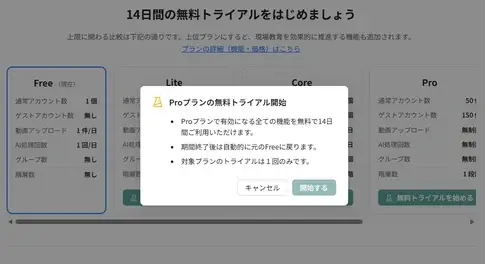
Start free. Unlimited SOP count and Storage.
After your subscription ends, your data is retained and automatically converts to the free plan. Restart a paid plan anytime—scale up only when you need it.


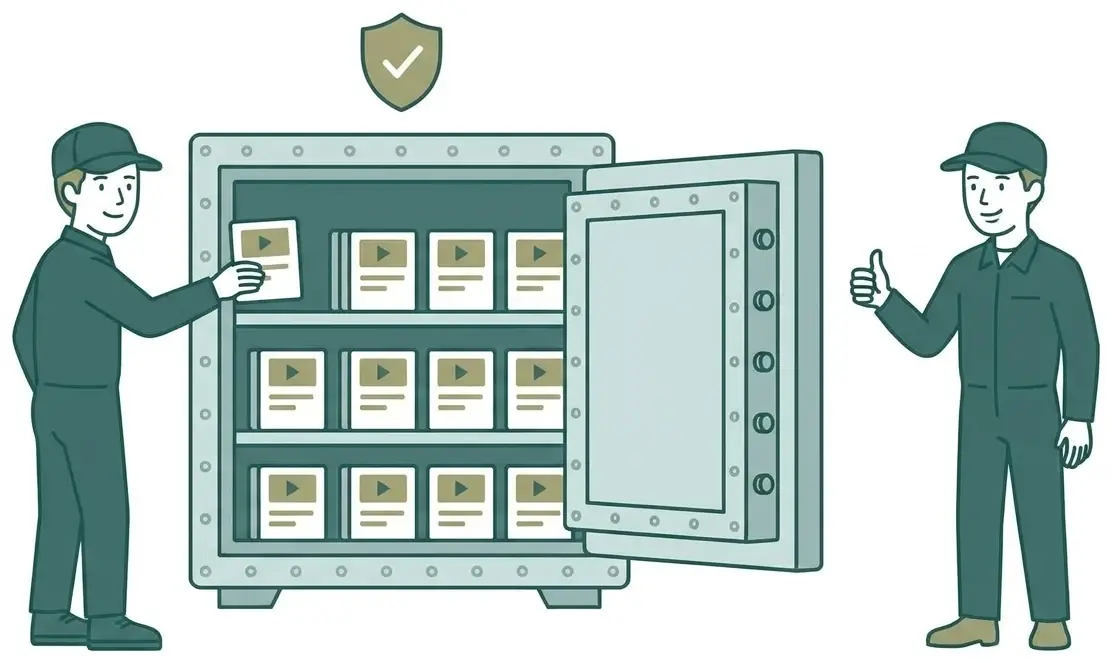
Canceling shouldn't mean losing all your work and hard-won shop floor knowledge.
Your expertise stays your asset forever—that's Dive's commitment.

Free
Free
3 Accounts
Basic features • Create SOP
Video upload 1 items/day
Lite
From ¥10,000/month
10 Accounts
Team sharing
QR • External Sharing
MP4 export
Core
From ¥25,000/month
25 Accounts
Skill Map
PDF / Export to Excel
Group management
Guest invitations
Popular
Pro
From ¥50,000/month
50 Accounts
Unlimited AI analysis
Unlimited video upload
AR SOP
Guest invitations
Enterprise
From ¥100,000/month
100 Accounts
SSO support
Remote support
Company-wide rollout
Guest invitations

*Pricing varies by contract period (Annual contract / 3-month contract). Additional account options available.

View Plan details / ROI simulator →

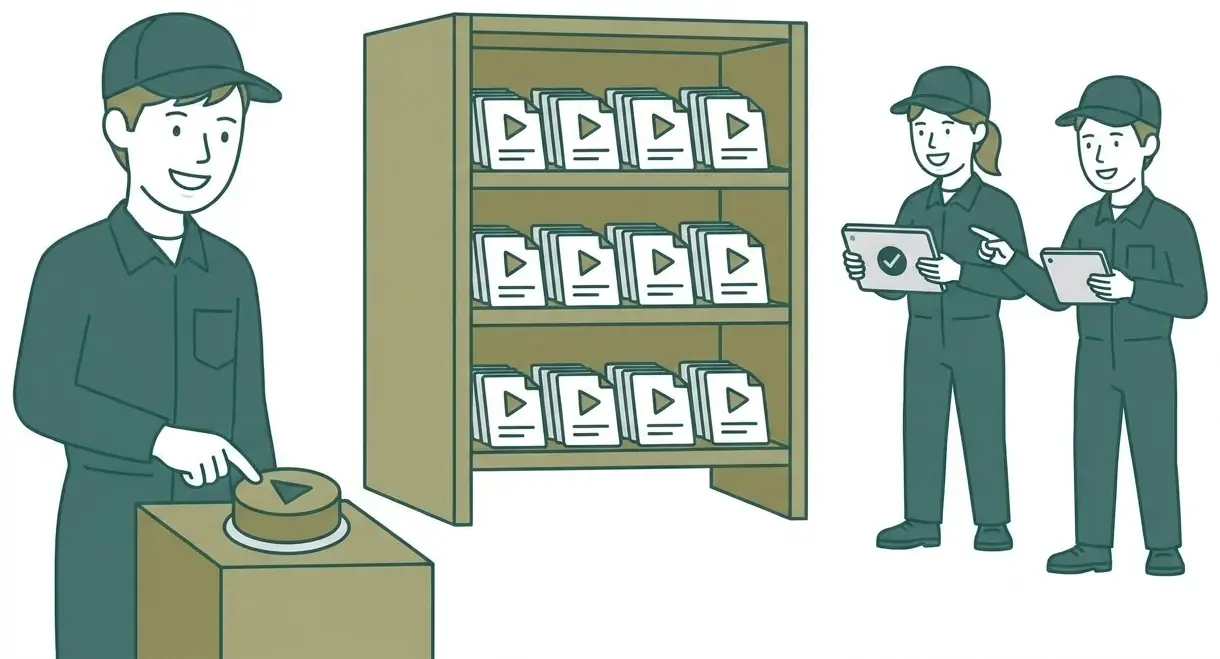
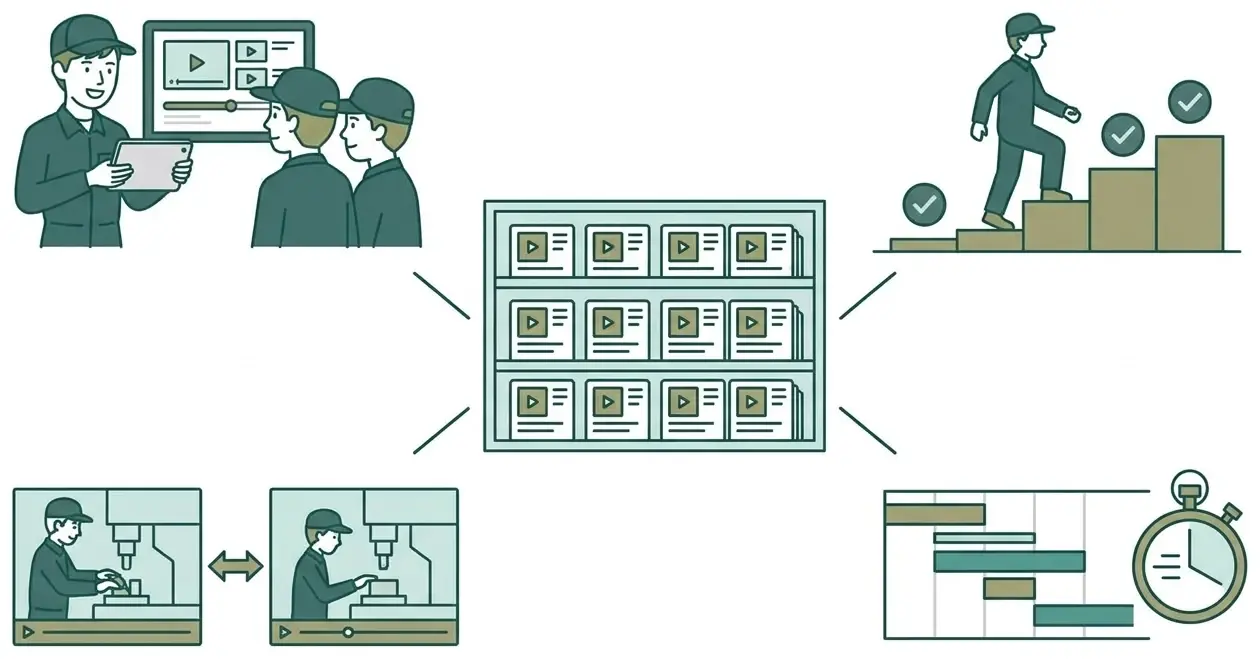
One video becomes
the shop floor answer
powers training
and builds company assets

Your operational knowledge comes alive here.

  • Image 10-4
  • Screenshot 2025-09-15 175406
  • Image 1-Sep-05-2024-08-36-15-4858-AM
  • Image 8-3
  • tekken
  • Image 3-4
  • Image 4-2
  • Image 9-3
  • Screenshot 2025-04-01 141604
  • Screenshot 2025-04-01 141717
  • Image 11-2
  • Image 10-4
  • Image 2-Sep-05-2024-08-36-15-5592-AM
  • Screenshot 2025-09-15 175406
  • Image 1-Sep-05-2024-08-36-15-4858-AM
  • Image 8-3
  • tekken
  • Image 3-4
  • Image 4-2
  • Image 2-Sep-05-2024-08-36-15-5592-AM
  • Image 9-3
  • Screenshot 2025-04-01 141604
  • Screenshot 2025-04-01 141717
  • Image 11-2
  • Image 10-4
  • Screenshot 2025-09-15 175406
  • Image 1-Sep-05-2024-08-36-15-4858-AM
  • Image 8-3
  • tekken
  • Image 3-4
  • Image 4-2
  • Image 2-Sep-05-2024-08-36-15-5592-AM
  • Image 9-3
  • Screenshot 2025-04-01 141604
  • Screenshot 2025-04-01 141717
  • Image 11-2
  • Screenshot 2025-09-15 175406
  • Image 10-4
  • Image 1-Sep-05-2024-08-36-15-4858-AM

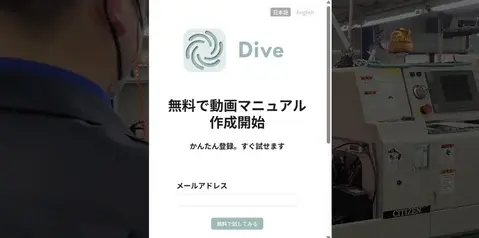
Complete online. Start in 5 minutes.

Perfect for presenting to leadership