Video work instructions for frontline businesses

Record the work —
get the work instructions.
Your saved videos
lift the whole frontline
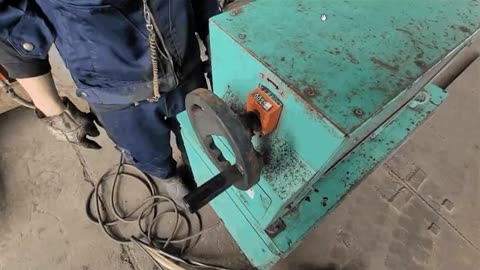
Video of the work, recorded on site
One recorded videoNo splitting, no narration

AI turns it into step-by-step instructions

Video, text and questions for every step

Record hands-on work or PC tasks, and AI turns it into work instructions.
Then use the videos you keep to teach, develop, compare and measure

Sign up online in 5 minutes

See it with our team

  • Registered companies

    900​+

  • Retention rate

    99%+※

  • ASPIC Cloud Award 2024Endorsed by Japan's MIC
    ASPIC Cloud Award 2024

    Venture Grand Prix winner

  • Endorsed by the Tokyo Metropolitan Government
    Tokyo Content/Solution
    Business Award 2023

    Winner

※ As of August 2026 (average of the last three months), based on paid annual contracts.

JAL Ground ServiceTekken CorporationSagawa Global LogisticsSotetsu KigyoFuruno ElectricKanekaDensoUnitikaNippon Steel Environmental & Energy SolutionsShinkohWorld SupplyAktio

Problem

The frontline problems we solve

01

Writing work instructions is heavy, so it stalls

Drafting, cleaning up and revising all fall on one person, and it never keeps going

02

Even when they're written, text alone doesn't get it across

People can't find what they need, so they end up asking a veteran

* Even at manufacturing sites that use video manuals, 87% still end up asking a senior colleague after watching (Episotech manufacturing survey, June 2026)

03

Teaching and correcting both depend on veterans

Training means standing next to people, and the gap to the best workers can only be learned by watching

What you need: a lighter way to create, and a way to turn
what you create into an asset for the frontline

Approach

How Dive solves it

“Record the work, get the work instructions. Your saved videos lift the whole frontline.”
That idea is what this video work instruction platform for the frontline is built on
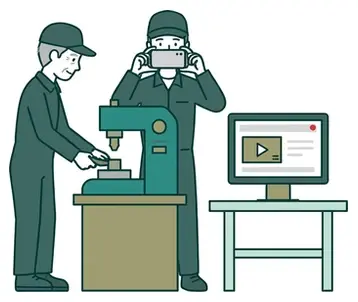
1
A young worker filming a veteran's work on a smartphone
STEP 01

Record

AI turns hands-on work and PC tasks into work instructions
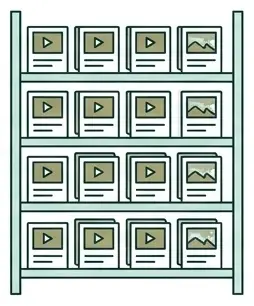
2
Video work instructions building up on a shelf
STEP 02

Build up

Every video and step you record adds up, and stays even after a paid plan ends
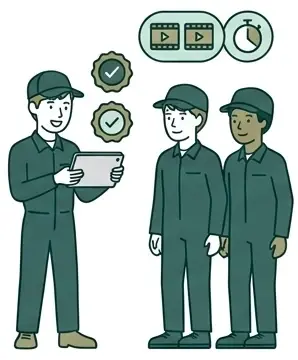
3
Teaching with work instructions on a tablet
STEP 03

Put to use

Then use the videos you keep to teach, develop, compare and measure
4
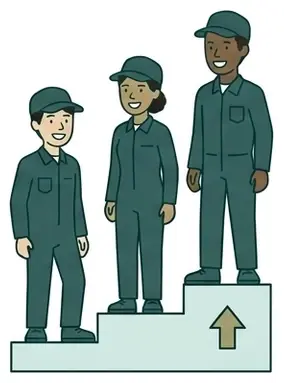
A diverse group of young workers climbing steps
STEP 04

Grow

Everyone learns it the same way, whoever trains them,
and the work gets better

“Too heavy to write,” “doesn’t get across,” “depends on veterans” — all solved together with the videos you recordThe more you use it, the more your work instructions and your workplace grow

Create

Just record it, and AI writes the work instructions

Our patented method and generative AI that understands video (VLM) analyze motion, objects and sound.
It finds where each step starts and ends on its own. No narration needed

01

Record your usual work

No need to split the footage or narrate — just record the way you normally work. Screen recordings of PC tasks work too.

02

Leave the rest to the AI

  • Step splittingProcess / step / action
  • Structured contentWhat to do, work tips, quality warnings, important safety information
  • Items usedParts, materials, tools
  • Step titles
  • Subtitles
  • Cutting redundant scenes
  • Annotations
  • Questions

Uses the audio too, if there is any

03

Your work instructions are ready

The work instructions below were created automatically by AI from this video

Demo

The result: work instructions you understand at a glance

Video, text and questions for every step, so people find the answer the moment they're unsure

Open in a new tab for a larger view

Video for every stepCriteria, tips and cautions in textQuestions to check understanding

Try it with your own videos

Start for free

See how it compares with other tools

Book a demo

Your format

Keep your usual SOP format

Your current documents stay the master copy, and work for both export and video analysis

01

Export in your usual SOP format

Steps, tips, cautions and images go straight into your registered SOP template (Excel, Word, PowerPoint)
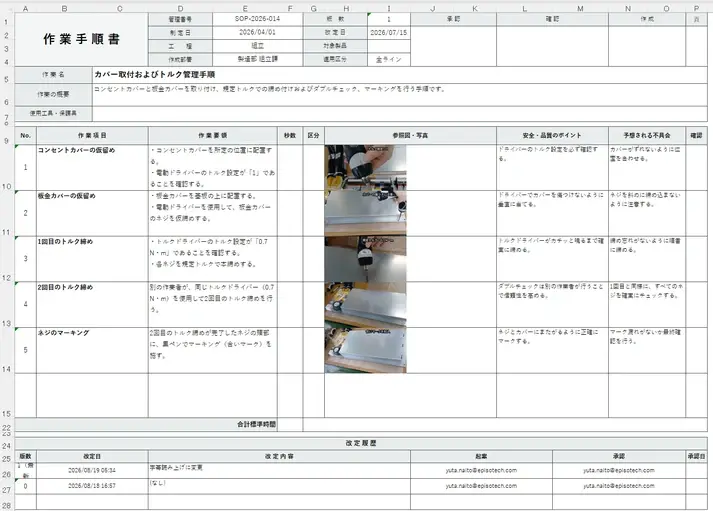
Example exported to a company's SOP template

02

Analyze videos based on your existing SOPs

Load your current SOP, and the recorded video is split into steps that keep the same number and order
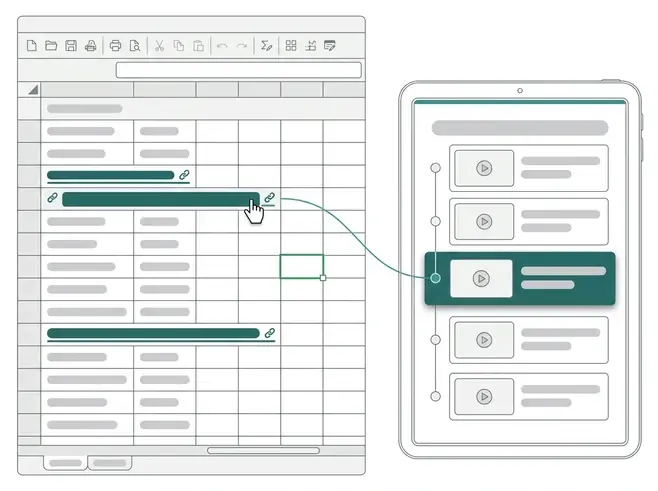
Diagram of existing SOP steps carried over to video steps

Sites with SOPs build on them. Sites without them record and create.Nothing about the current way of working is thrown out, so the frontline can start without pushback

Ownership

The work instructions you create
stay your company's asset

Designed so the know-how you build up stays even after a paid contract ends
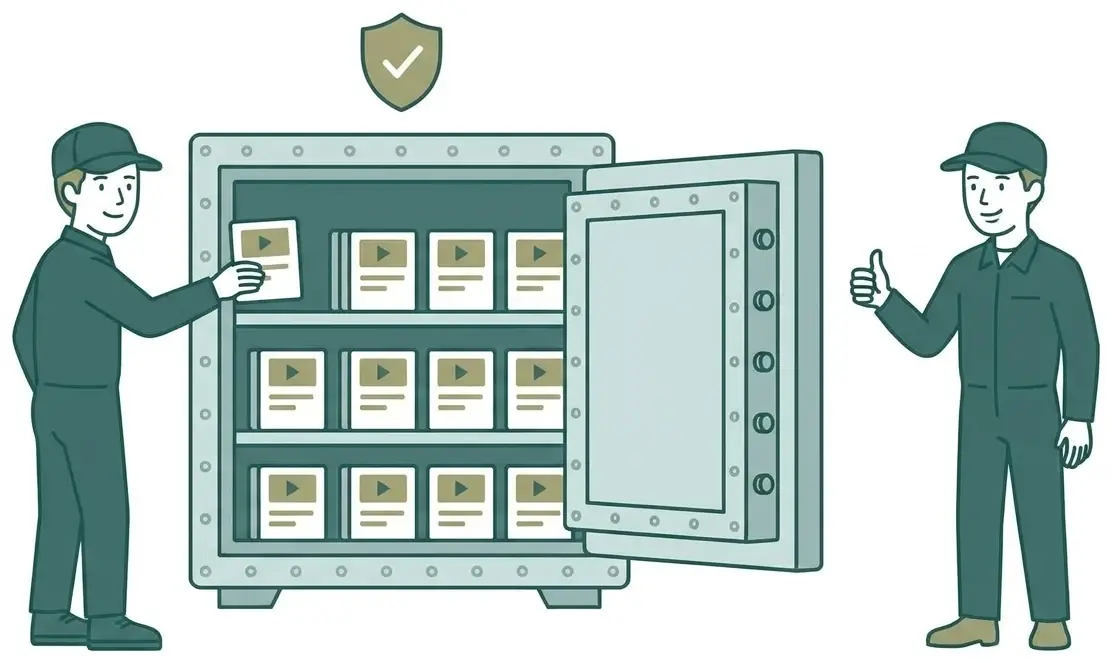
Work instructions stored in a safe

Automatic move to Free

If you don't renew, your team moves to the Free plan and the work instructions stay viewable. Data such as work instructions, video media and usage history is not deleted.

* Accounts beyond the Free limit (3 accounts) are deactivated, not deleted
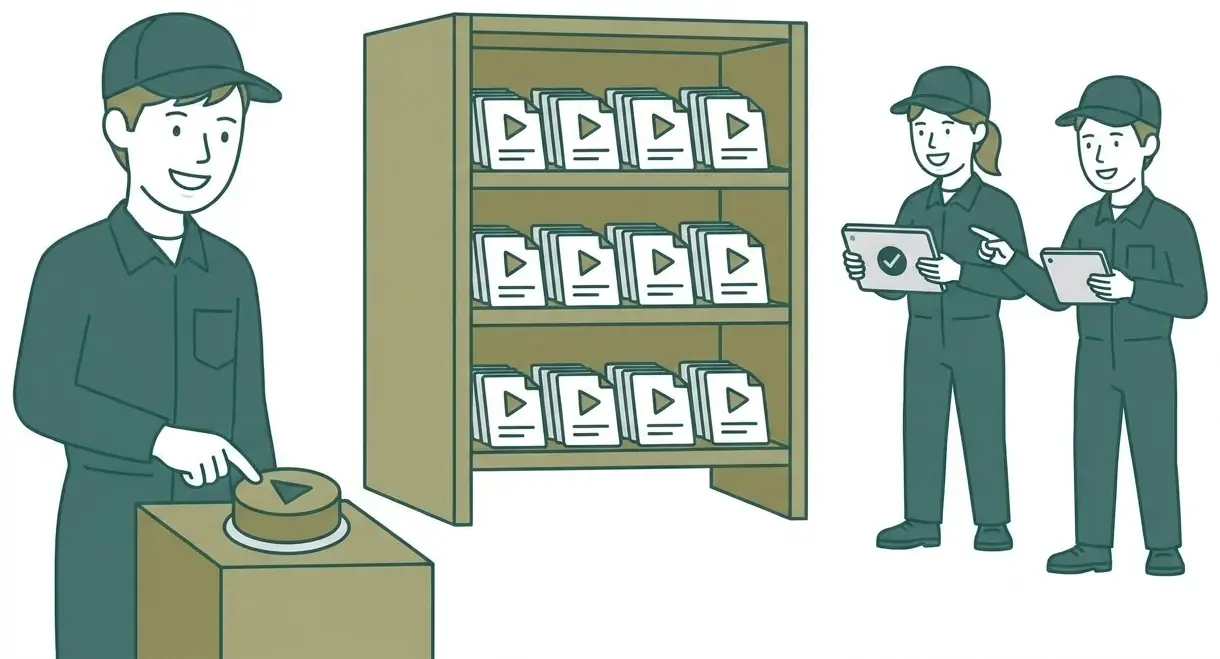
Playing work instructions kept on the shelf again

Resume any time

You can sign up for a paid plan again. Deactivated accounts come back when you upgrade, with no need to re-invite anyone. Usage history, group affiliation and permissions return as they were.

Dive's policy that your know-how belongs to you is built into how the service is run
Details in the Help Center: “What happens when a paid plan ends?”

Level up

Lift the whole frontline with the videos you keep

The videos and work instructions that build up as you create go straight into developing people and improving the work

From the videos and work instructions you keep
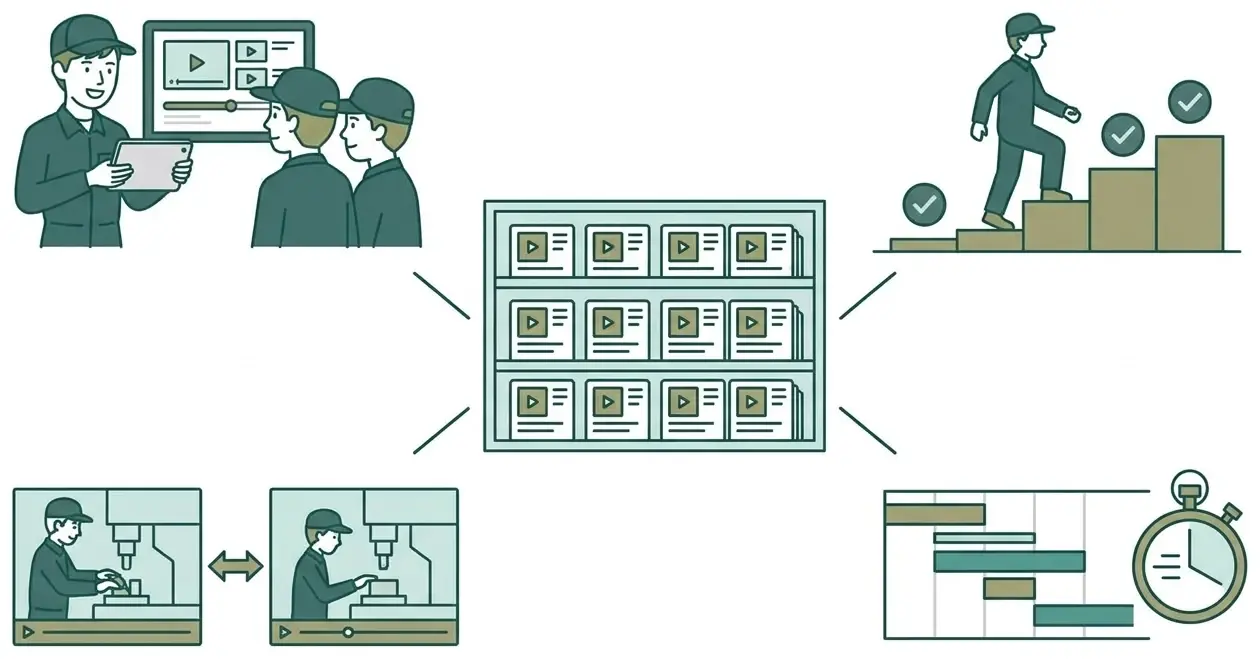
Diagram branching from saved work instructions to teaching, developing, comparing and measuring

The more you use it, the more
your work instructions and your workplace grow

Teach

Bundle work instructions into courses and assign them. You can see who has finished how much.
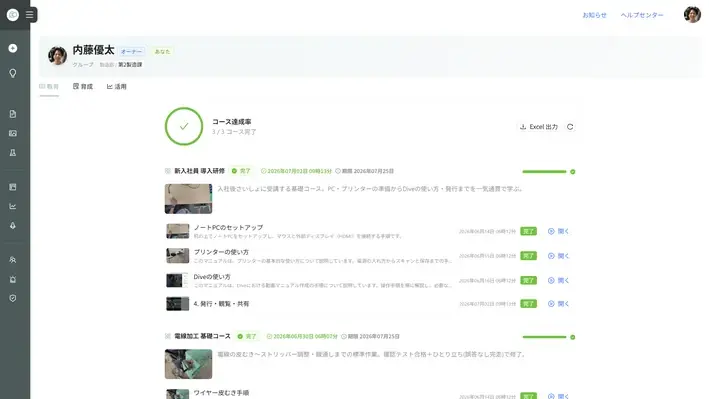
Course screen
Develop

When someone completes a work instruction on their own, their skill map level goes up. The history is kept.
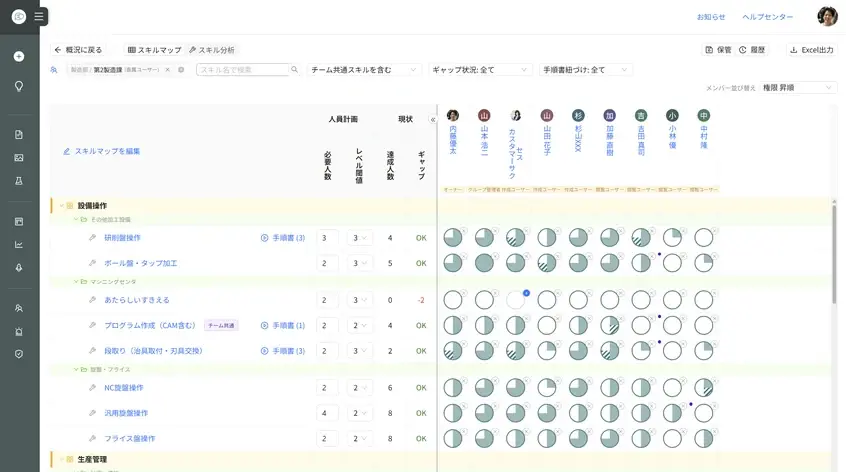
Skill map screen
Compare

Put the work side by side with a model to see where the gap is. Check that it follows the work instructions, too.
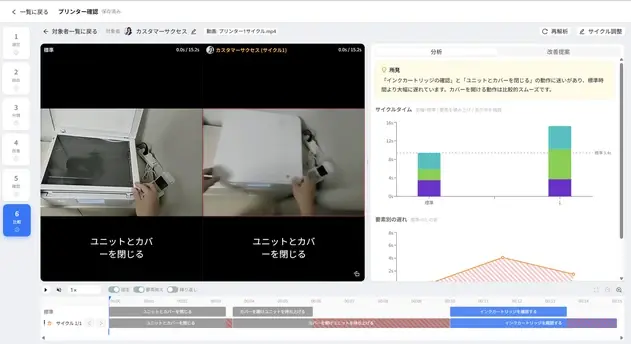
Screen comparing work with a model
Measure

Break work into elements and see time and waste in numbers. Compare before and after improvements.
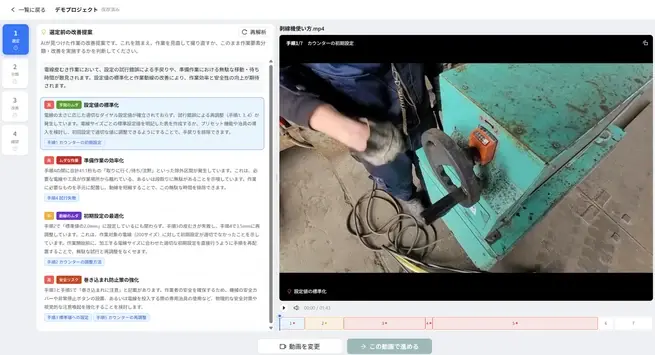
Work analysis screen

Skill map

A skill map that grows with real work

Skill levels rise automatically when people complete work instructions on their own, and the history is kept

1

Link work instructions to skills

Link work instructions to a skill map that supports ISO 9001 clause 7.2 (Competence). Viewers see at a glance what they should learn next, and go straight to the work instructions they need.

2

Complete it solo, and the level goes up

When someone completes a linked work instruction on their own, their level rises automatically. Finishing a course or earning a qualification works the same way. Just viewing doesn't raise it.

3

See who has learned what, right away

OJT trainers and managers see in real time who has mastered how much.
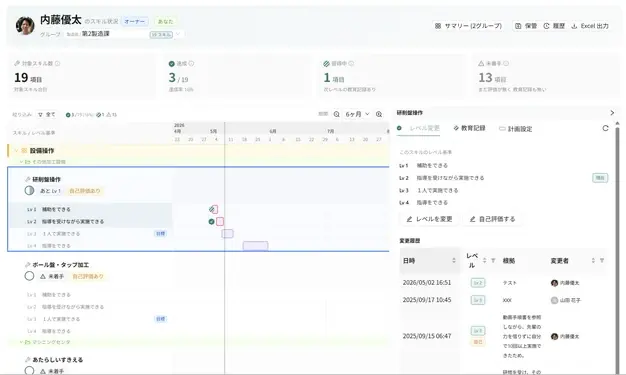
Skill Map screenSkill details screen

Highlights

  • Levels update automatically on solo completion, course completion and qualifications
  • Skill → recommended work instructions (people go straight to what they should view)
  • See each person's proficiency on a Lv1–Lv4 skill map
  • Get set up fast with industry templates that support ISO 9001 clause 7.2
  • From the Skill Analysis list, change development leads and plan periods in bulk and notify the people involved

ISO 9001

For quality management:
ISO 9001, requirement by requirement

For QA, the job is ISO compliance. Here's what using Dive puts in place for each requirement

Requirement
What's required
Common problem
With Dive
7.1.6Organizational knowledge
What's requiredDetermine the knowledge needed, maintain it and make it available
Common problemVeterans' skills stay in their heads
With DiveJust record it, and the skill is captured in work instructions
7.5Documented information
What's requiredCreate and revise documents, control versions and make them available where needed
Common problemStandards and video instructions are managed twice. Old versions linger on the floor
With DiveExport in your current format. The frontline opens the published version via QR. Revision history and approvals are kept
7.2Competence
What's requiredDetermine competence, train, evaluate effectiveness and keep records
Common problemSkill matrices are copied by hand and tidied up before audits
With DiveLevels rise from solo completion of work instructions, and the history is kept
8.5.1Control of production
What's requiredAssign competent people and keep procedures available
Common problemNo way to tell whether unqualified people are doing the work
With DiveLink required qualifications to work instructions, and warn people who don't hold them when they open one
9.1 & 10Monitoring and improvement
What's requiredMeasure and evaluate results, then improve
Common problemCan't see whether training worked or the work improved
With DiveUsage Report, comparison with a model, work analysis

No extra work just for ISO.As the frontline uses Dive, documents, competence and records build up

Comparison

Compared with similar tools

DiveWork instructions + skill map, all in oneSingle-take videoStep-structuredVideo librarySkills management
Auto-create work instructions from video
◎AI splits it into steps and writes the text (screen recordings too)
△Auto subtitles
○
△Auto subtitles
△Subtitles, text-to-speech
Build from existing SOPs
◎Analysis keeps the number and order of steps
△Upload only
△Upload only
△Upload only
△Upload as PDF
Export to files (incl. your own template)
◎Export in your own template (also PDF, Excel, Word, PowerPoint)
○MP4
△PDF only
×Step videos only
△PDF
Video + text + questions per step
◎Work, tips, cautions and safety in text
×Single-take video + subtitles
△
×Mainly organizes videos
△Subtitles + comprehension test
Automatic translation
◎192 languages
○~100 languages
○~20–30 languages
△~10–12 languages
△English, Chinese, Korean, Vietnamese, etc.
Data after a paid plan ends
◎Kept (moves to the Free plan automatically)
×Deleted
×Deleted
×Deleted
–
Teach (courses, questions)
◎Assign via courses, check with questions per step
△Simple tests
○Courses + tests
△Tracks viewing history
○Training plans, enrollment tracking, comprehension tests
Develop (skill map)
◎Auto-updates from actual work, with history
○Manual evaluation
△Manual certification in a separate product
×
○Auto-reflects courses and qualifications
Compare & measure (work analysis)
◎Comparison with a model, element breakdown, standard time
×
×
×
×
Free plan / lowest price
◎Free plan; Lite from ¥10,000/month
△For mid-size to large companies; no free plan
△Pricing not public

Scroll the table sideways

Compiled by Episotech from public information on representative services of each type (as of October 2026). ×: no such feature in public information. –: could not be confirmed from public information.

Record the work, get the work instructions, and let your saved videos lift the whole frontline.Start small, and what you create stays as an asset

Case study

Customer stories

Real results on real frontlines
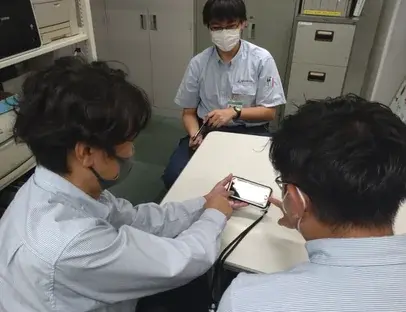
A meeting at Sotetsu Kigyo
Facility maintenance

Sotetsu Kigyo

80%less creation time

Before5 hours of editing per video; long videos nobody watched

After1 hour of editing per video; used during the actual work

“Getting support staff from other offices up to speed became much easier”
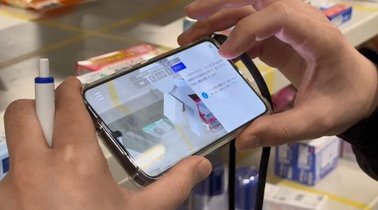
Viewing work instructions on a smartphone at Sagawa Global Logistics
Logistics

Sagawa Global Logistics

90%shorter training period

BeforeStaff trained face to face, every time

AfterReplaced with video work instructions on smartphones

“Our training content became more standardized, too”
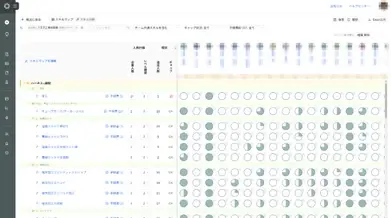
Custom Denshi's skill map screen
Manufacturing

Custom Denshi

UnifiedUsed for ISO competence management

BeforeSkill maps and training records kept in separate Excel files

AfterRules, work instructions and competence records all in Dive

“We got glowing praise in our ISO certification audit”

Read the interview (Japanese)

Security

Security

We address security from many angles so you can use Dive with confidence

Third-party evaluation and track record

  • ISO/IEC 27001:2022 certified (November 2024)
  • Assured (third-party assessment platform): 93.2 points, top 25% overall
  • METI's “Cloud Service Level Checklist”
  • Used by many listed companies and universities

ISMS certification mark

Authentication and access control

  • SSO (SAML 2.0 / Microsoft Entra ID OIDC)
  • Two-factor authentication (TOTP), can be required for everyone
  • IP address restriction (allow specific environments only)
  • Tiered access permissions (role × group)

Data protection and operations

  • All traffic encrypted with HTTPS, plus database and file encryption
  • Videos stored on Google Cloud (Tokyo region)
  • 24/7 server monitoring and automatic backups
  • Audit logs (logins, security operations and more)

Google Cloud

The video analysis AI does not retrain on your data, so confidential know-how is safe to analyze

  • Dive's video analysis AI runs on Google Cloud, in an environment we manage
  • Under our Google Cloud agreement, customer data is not used to retrain the AI
  • Designed so you can put highly confidential operating know-how through AI analysis with confidence

More about security

Plans

What each plan includes

Start free and upgrade as your use grows.
Unlimited work instructions and storage on every plan

FreeLiteCoreProEnterprise
Monthly (annual contract, excl. tax)¥0¥10,000¥25,000¥50,000¥100,000
Accounts3102550100 (expandable)
Work instructions from video (AI)1/day5/day10/dayUnlimitedUnlimited
Import existing SOPs (AI)1/dayUnlimitedUnlimitedUnlimitedUnlimited
Export to files×MP4+ PDF, Excel, Word+ PowerPoint+ your own template
Distribute via QR and external sharing×◎◎◎◎
Teach (courses, questions)××◎◎◎
Develop (skill map that grows with real work, qualifications)××◎◎◎
Skill map Excel export×××◎◎
Compare & measure (work analysis)×××◎◎
Approval workflow×××◎◎
Authoring rules (rules, writing style)××××◎
SupportEmailEmailEmail+ onboarding, monthly consultation+ dedicated rep

Scroll the table sideways

■ Prices are monthly rates on an annual contract (excl. tax). When a paid plan ends, your data isn't deleted and you move to the Free plan automatically.

See the full comparison and ROI simulator

Getting started

How to get started

Try it on the Free plan first, then trial a higher plan for free when you need it
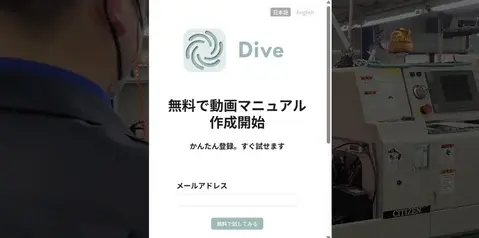
1
No time limit

Start the Free plan

Sign up and set up online. Start in 5 minutes!

Go to sign-up
Free plan sign-up screen
2
Paid plans

14-day free trial

Start whenever it suits you. Each plan can be tried for 14 days, so you can take your time.

How to start a trial
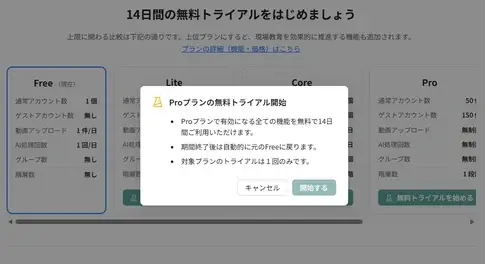
Free trial start screen
3
Decide

See the impact in the Usage Report

Use it to judge the return on your investment

About the Usage Report
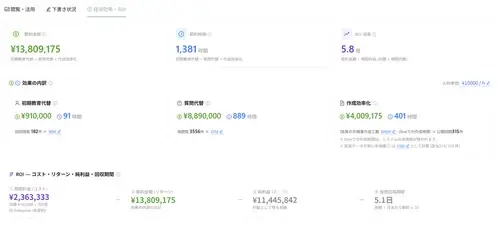
Usage Report screen

Talk to us

Estimates and full details,
walked through with our team

Ask us for cost estimates for your internal approval, and for details on work analysis, the skill map, AR (augmented reality) and more.
We'll walk you through them in a demo

See it with our team

Book a demo

Sign up online in 5 minutes

Start for free